Inventory the working system
List the assistant prompts, models, voices, phone numbers, credentials, HTTP tools, knowledge sources and webhooks in use. Record who owns each external account and which systems depend on the call events.
Capture the outcomes you rely on: a booking created, a lead delivered, a human transfer completed. Save representative test scenarios and configuration revisions. Migration success means preserving those outcomes, not just seeing the new dashboard load.
Export only the data you are entitled to move and check the source platform’s export options. APIFleet does not provide an automatic import for every competitor; plan for explicit configuration and validation.
Map behavior, not field names
Recreate one assistant first. Prompts, tool schemas and webhook payloads may look similar across platforms while behaving differently. Check required fields, authentication, timeouts, error handling and the moment each event is delivered.
Keep your existing backend integration behind a small adapter when that makes the boundary easier to test. For actions such as bookings and payments, use stable identifiers and duplicate protection so a retry does not create the action twice.
Choose the same model and voice where supported for the initial comparison. Change the platform first; optimize providers after you have a useful baseline.
Run controlled tests beside the old setup
Create a test route or a separate test number. Validate the assistant in the browser, then on the intended telephone path. Use the conversation test plan to cover interruptions, bad inputs, failed tools and handoffs.
A parallel environment is not permission to duplicate live side effects. Keep test calls away from real bookings, outbound campaigns and production writes unless you deliberately authorize and observe them.
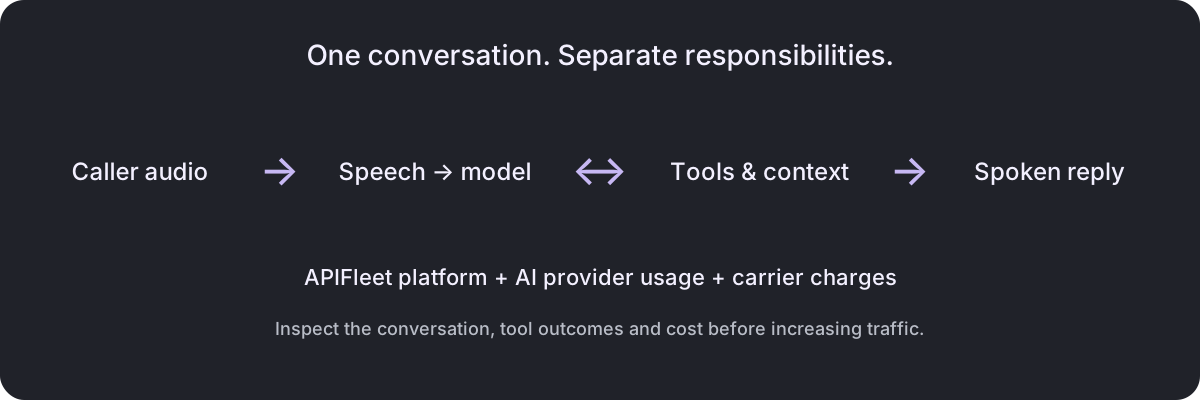
Confirm billing ownership before testing. Fund the APIFleet prepaid balance, connect customer-owned carrier credentials and verify the provider accounts that should pay for AI usage. See the BYOK guide for those boundaries.
Move one route with a written rollback
- Select a low-risk route and a time when someone can observe the result.
- Record the old carrier routing configuration and the exact change required to restore it.
- Complete or account for in-flight calls before changing the route.
- Send a controlled call through the new path and verify the downstream outcome.
- Watch errors, transfers, task completion and cost before increasing traffic.
A public website domain and a carrier’s voice-routing configuration are separate concerns. Moving a landing page does not, by itself, move telephone calls. Likewise, preserving a phone number does not prove that callbacks and webhooks reach the correct application.
Retire the old path after the evidence is clear
Keep the old configuration available until you have enough representative traffic to evaluate the new setup. Decide the observation window from your call volume and risk, rather than choosing an arbitrary number of hours.
Once the new path meets your criteria, remove unused credentials and routes, reconcile outstanding usage and keep the records your business needs. Check whether any integrations still point at the previous webhook or API host.
Use the migration to simplify ownership: one person or team should know where routing lives, where failures appear and how to restore service. The best rollback procedure is short enough to follow during an incident.
Continue with a practical next step
Sources and evidence
- APIFleet product and pricing · observed 2026-10-19
- APIFleet API documentation · observed 2026-10-19